
Organizations with multiple operating units
Manage companies, branches, divisions, departments, warehouses, and user permissions in one system.
VistaERP2 · Enterprise Resource Planning
Connects sales, purchasing, inventory, finance, accounting, and fixed assets, with analysis and implementation by Vista Computing System.
A single source of data
Trace inventory and financial impact by transaction
Role-based user access
Adapted for Thai accounting and organizational workflows
Who it is for
VistaERP2 is designed for organizations that need more than end-of-process accounting entries. It provides control over documents, inventory, and accountability throughout each workflow.
Manage companies, branches, divisions, departments, warehouses, and user permissions in one system.
Ensure receipts, transfers, issues, and shipments update costs and accounting entries without duplicate data entry.
Configure documents, approval rights, reports, and integrations to match the organization’s actual processes.
6 workflow groups
Each module shares master data and passes transaction results to inventory, finance, and accounting according to configured rules.
Single data source
All modules read from and write to the same records, eliminating duplicate transaction entry.
Master Data
Establish a shared structure so every department works from consistent master data.
Purchasing & A/P
Track purchasing requirements from purchase request through supplier documentation and payment.
Sales & A/R
Connect sales orders, fulfillment, tax documentation, and receipts in one workflow.
Inventory
Trace stock movements and costs back to their source transactions.
Finance & Accounting
Post data from every module into the accounts and financial reports through a controlled process.
Fixed Assets
Manage the asset lifecycle from acquisition and depreciation through disposal.
Real screens
The dashboard reads directly from recorded transactions rather than a separately compiled summary. Users can review sales, products, and business partners from the web application or the Android and iOS apps.
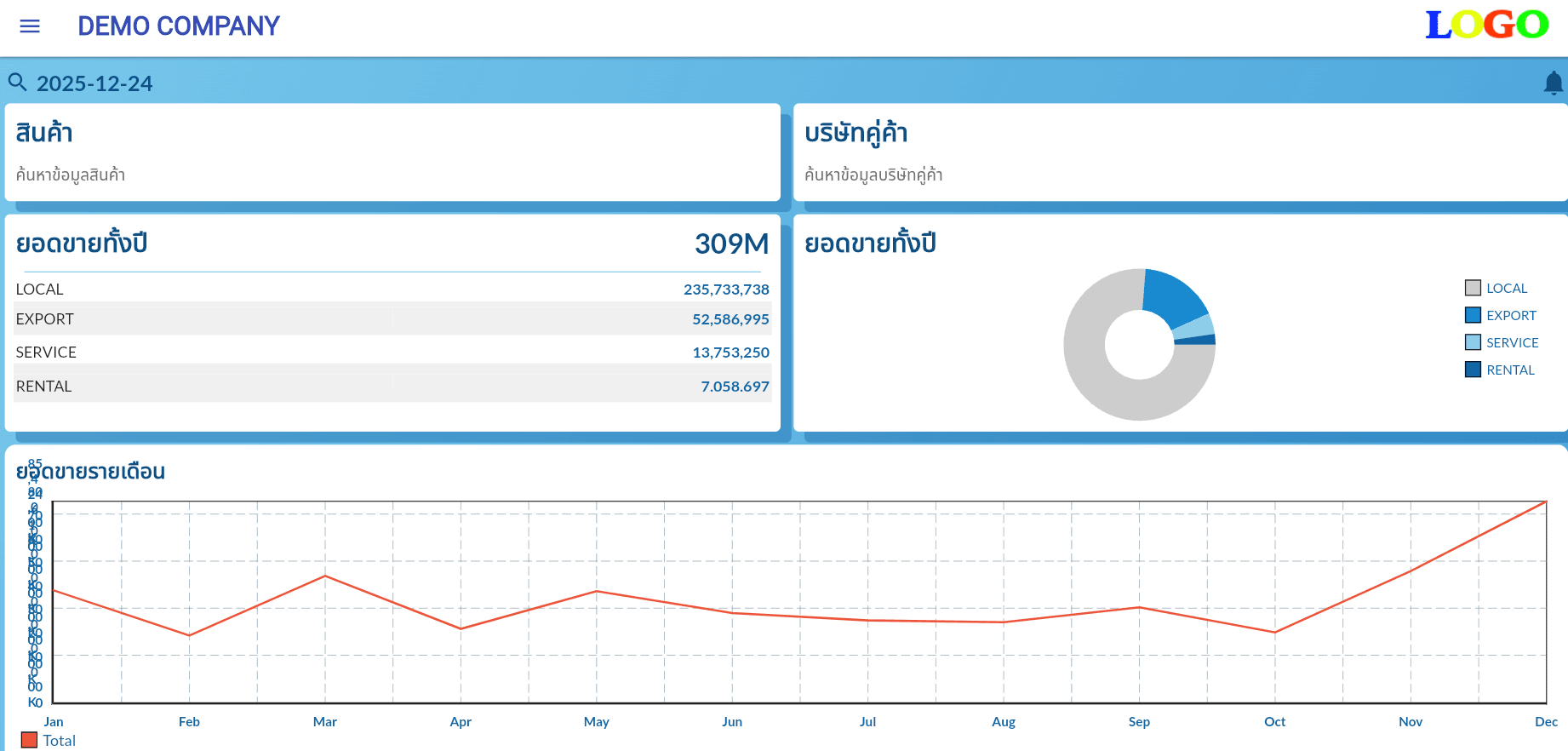
Local, export, service, and rental revenue with a monthly chart and product and partner lookups
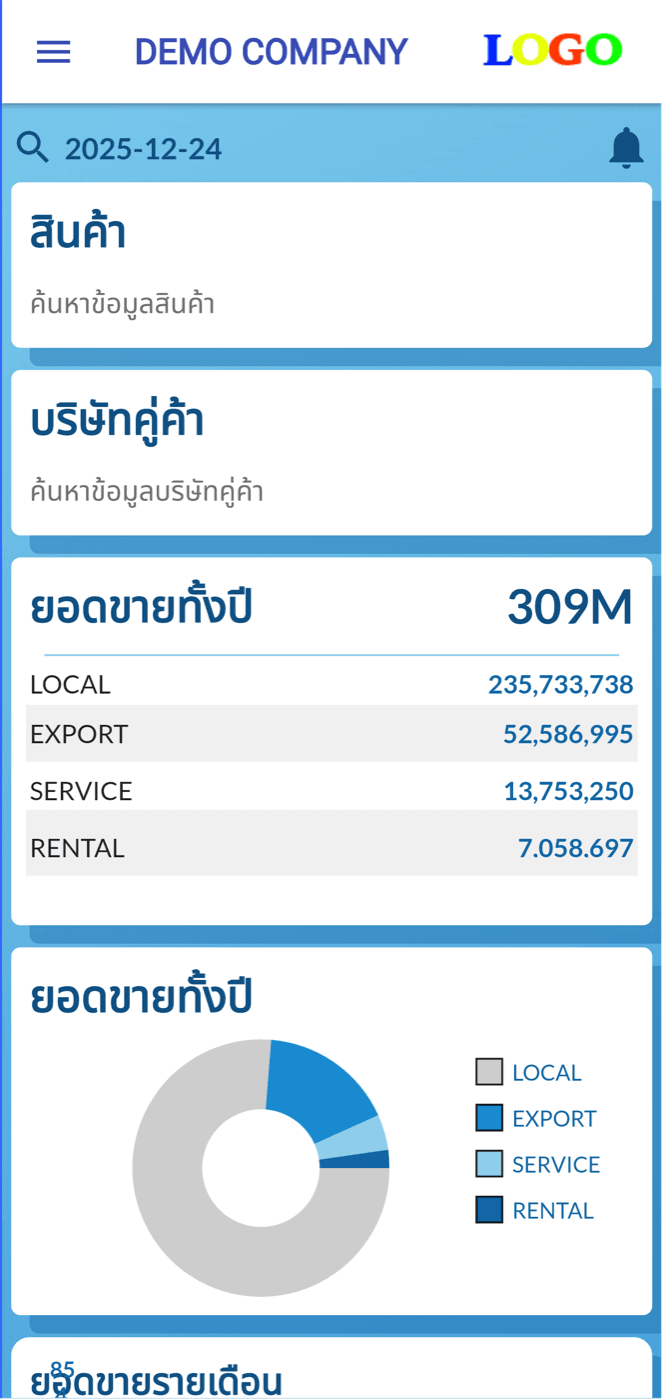
The same figures from the same source—not a separate report
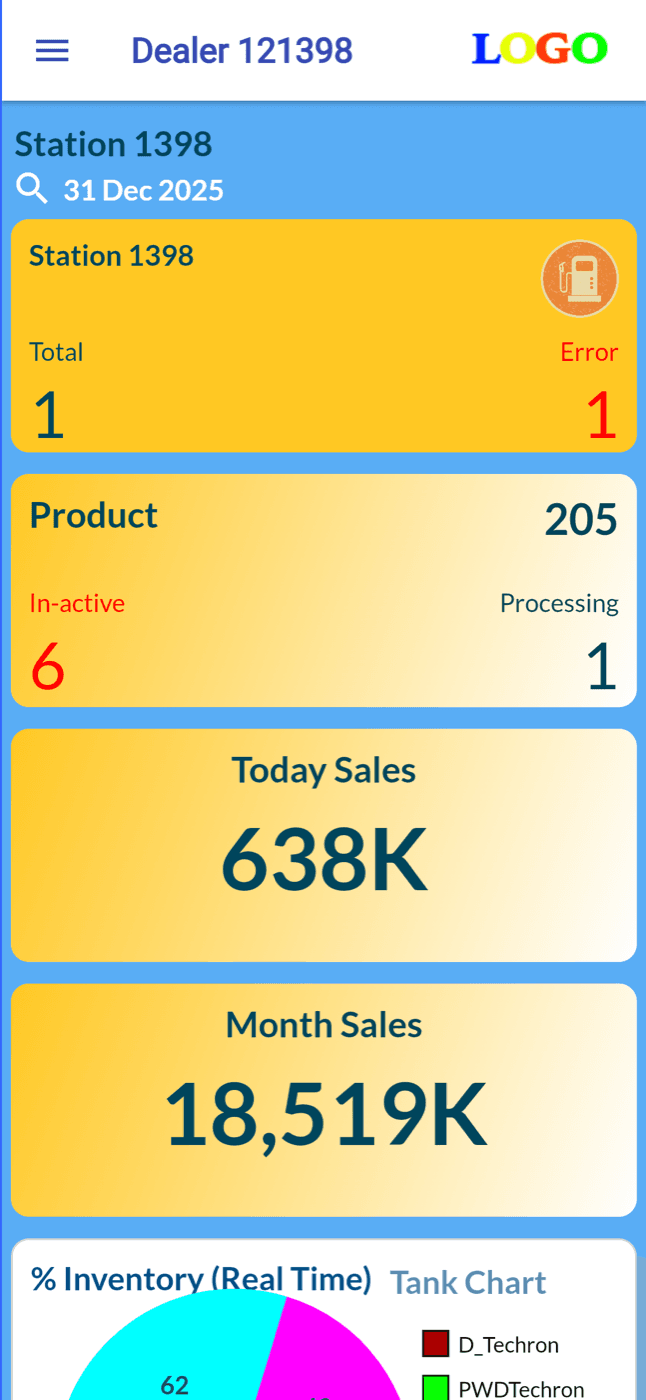
Today’s sales, month-to-date sales, and a real-time inventory breakdown
Foundation and responsibility
ADempiere is an extensible open-source ERP foundation with established business structures. Using this foundation avoids rebuilding the accounting and transaction core and reduces reliance on per-device licensing.
Vista Computing System is responsible for process analysis, Thai accounting and tax localization, configuration, custom development, integration, data migration, training, and post-go-live support.
Enterprise controls
Apply auditable common rules while configuring structures, costs, documents, and permissions to match each organization’s operations.
One document, two devices
Document status, supplier, amount, and currency come from a single record, so the purchasing team can immediately see which orders are approved.
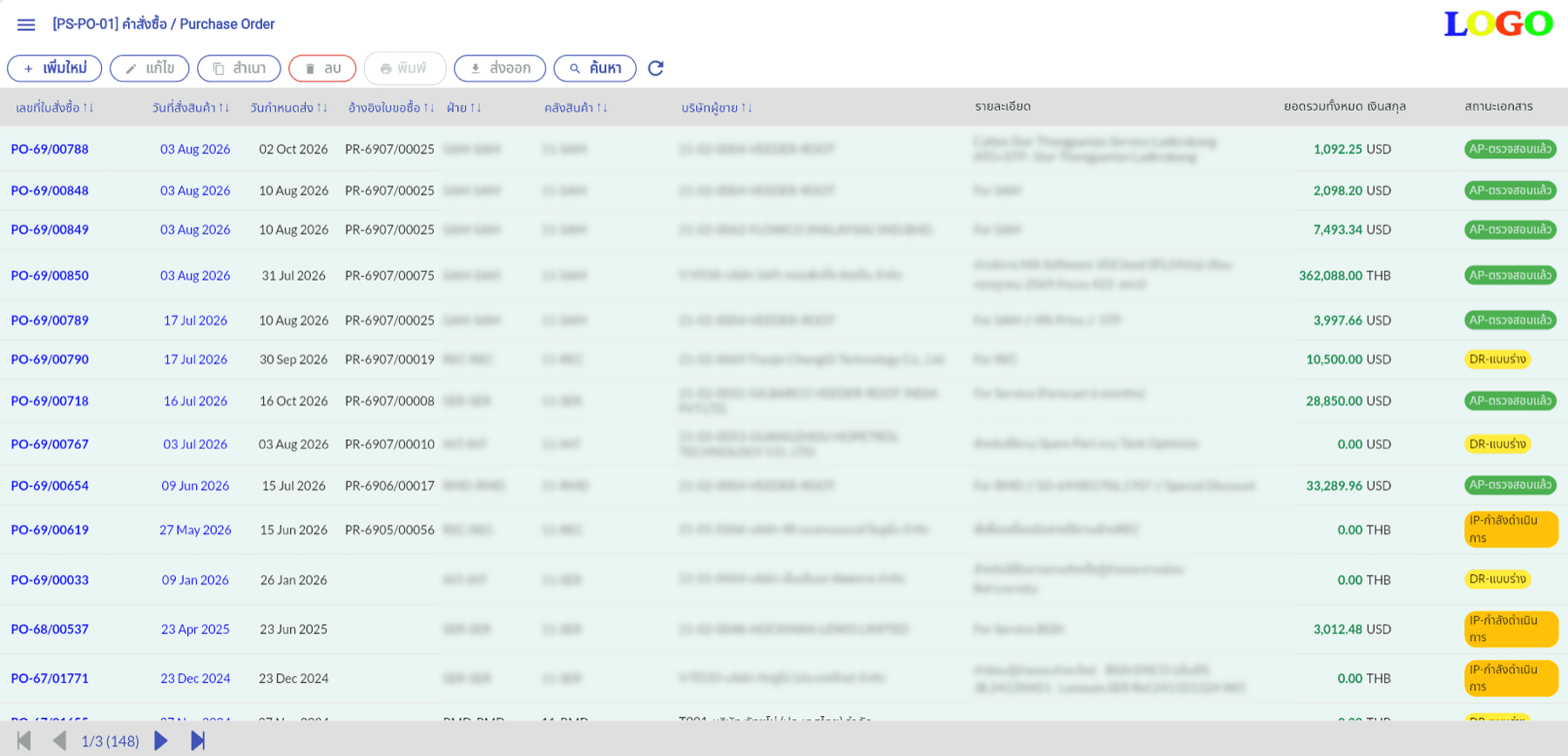
Search, copy, print, and export from a single toolbar, with draft, in-progress, and verified statuses
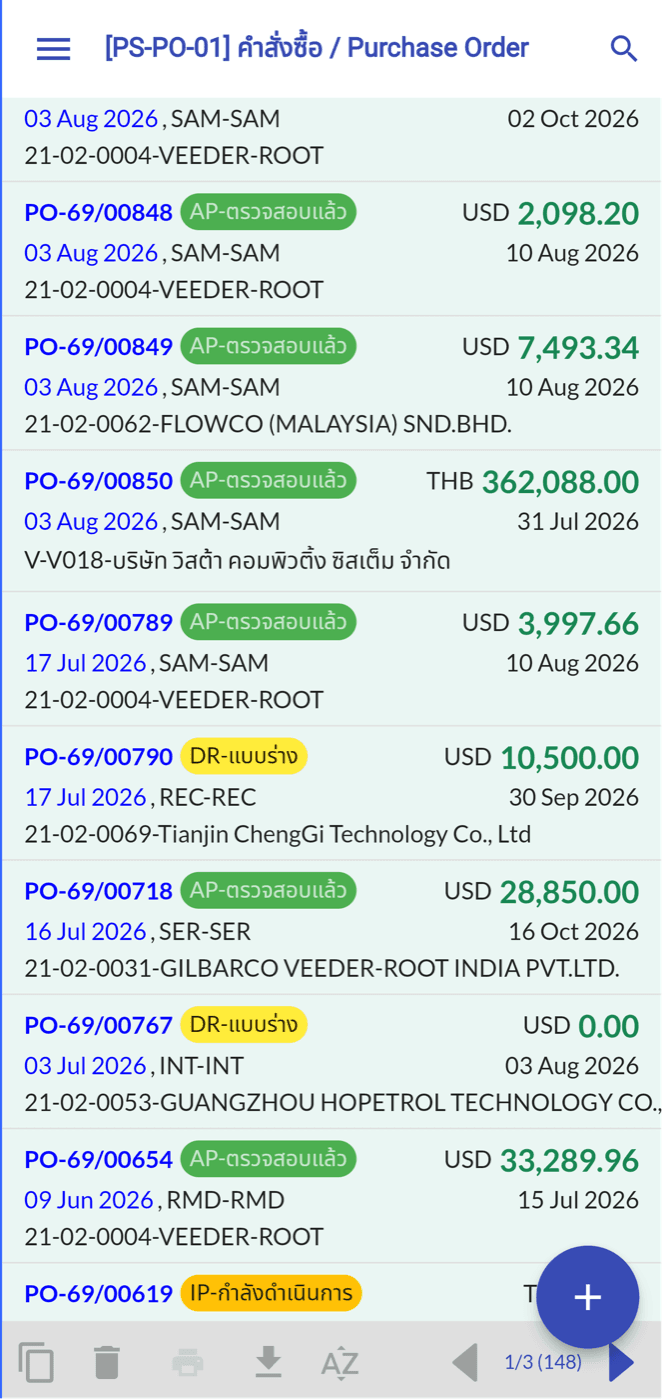
Read and approve away from the desk
Implementation path
Each stage of implementation has a clearly defined deliverable.
Document workflows, forms, users, roles, and each department’s operational requirements.
Deliverable: process map and data scopeRun key scenarios in VistaERP2 to identify where standard functionality fits and where changes are required.
Deliverable: agreed fit-gap registerConfigure the organization structure, warehouses, accounting rules, users, permissions, and document templates, then complete any agreed custom development.
Deliverable: configured system ready for testing with the organization’s dataPrepare the chart of accounts, products, stock balances, trial balance, receivables, and payables for import.
Deliverable: reconciled opening datasetTrain end users, prepare test cases, and have operational teams validate workflows with sample data.
Deliverable: UAT results and agreed pre-go-live correctionsLaunch the live system, hand over user guides and support channels, and monitor issues after deployment.
Deliverable: operational system with clearly assigned ownershipKey decision questions
Sales, purchasing, inventory movements, receipts, payments, and accounting share the same source records. This reduces duplicate entry and lets users trace figures in the accounts back to the originating documents.
ADempiere provides an open-source ERP foundation with established business structures. Vista Computing System is responsible for Thai accounting localization, configuration, custom development, data migration, training, and project support, so the organization can extend the system without rebuilding the ERP core.
A typical migration scope includes the chart of accounts, product and stock data, trial balance, receivables, and payables. File formats and reconciliation steps are agreed during analysis.
We first test the organization’s processes against the standard system and document the fit and gaps clearly. Critical business rules can then be addressed through configuration, custom development, or integration within the agreed scope.
Or leave a message and we will contact you.