
Time clock
Captures records from fingerprint or face-scanning devices
VistaHR · Time and attendance · Leave management
VistaHR turns data from fingerprint or face-scanning devices into attendance records, calendars, leave approvals, notifications, and reports in one system.
Web application
Android and iOS apps
Fingerprint and face scanning
PDF and Excel reports
Connected records
Instead of re-entering data across multiple files, VistaHR moves each record through a clear, traceable workflow.
Captures records from fingerprint or face-scanning devices
Consolidates clock-in and clock-out records in one system
Displays daily records and an individual attendance calendar
Tracks requests, approval status, and remaining leave balances
Exports reports to PDF or Excel for further processing
Everyday HR work
VistaHR focuses on the information people need to review, decide, and hand off—not on presenting a long list of software menus.
One dashboard brings together clock-in and clock-out times, attendance history, leave requests, and remaining balances.
Review working days, holidays, and monthly attendance so exceptions are easier to spot.
Employees submit and track requests; approvers see pending items with the information needed to make a decision.
HR can generate reports for review, consolidation, or use in the next stage of processing.
Real screens
Users can start with today’s status, then review daily or individual records when needed—on the desktop web application or each employee’s mobile app.
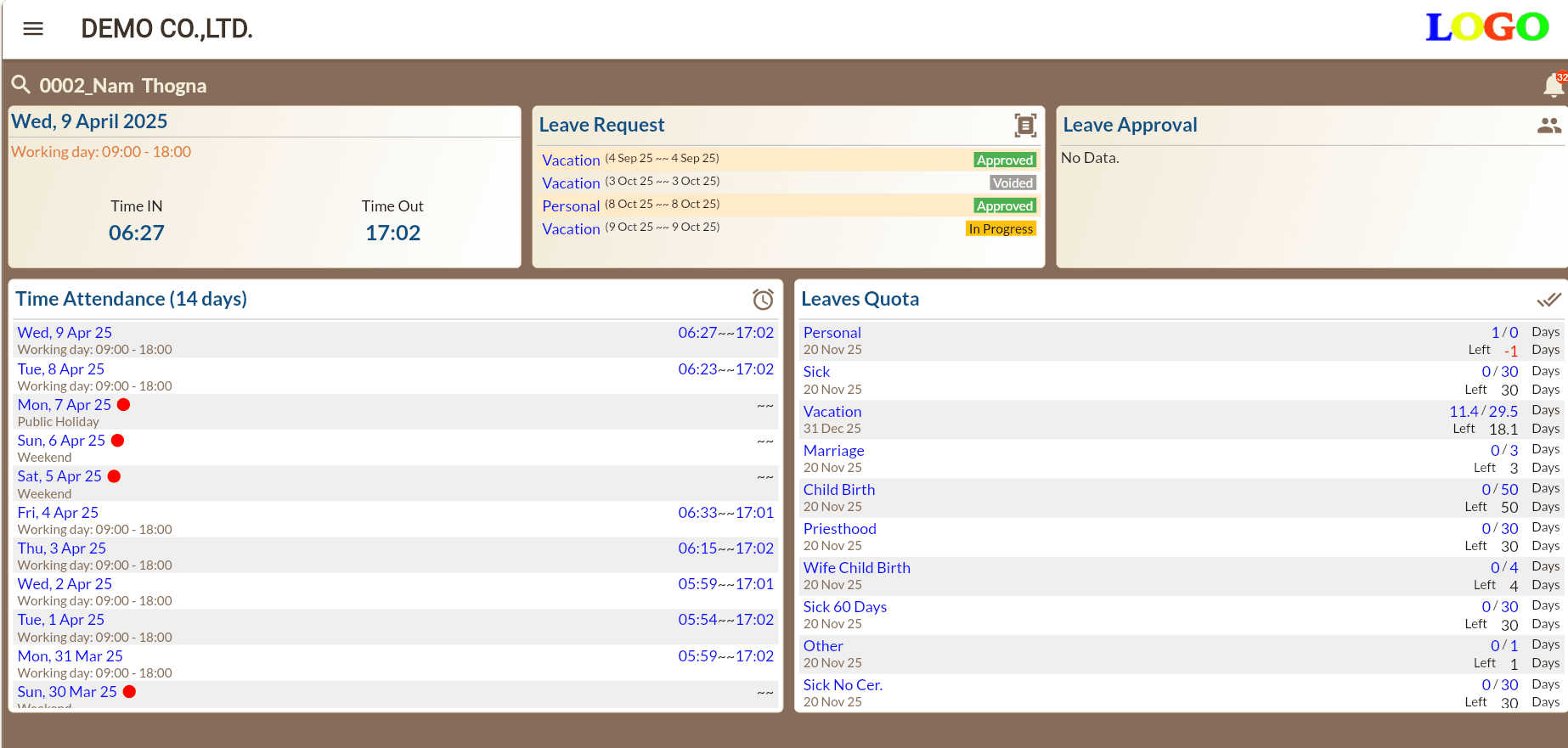
Clock-in and clock-out times, attendance history, leave requests, and balances by leave type
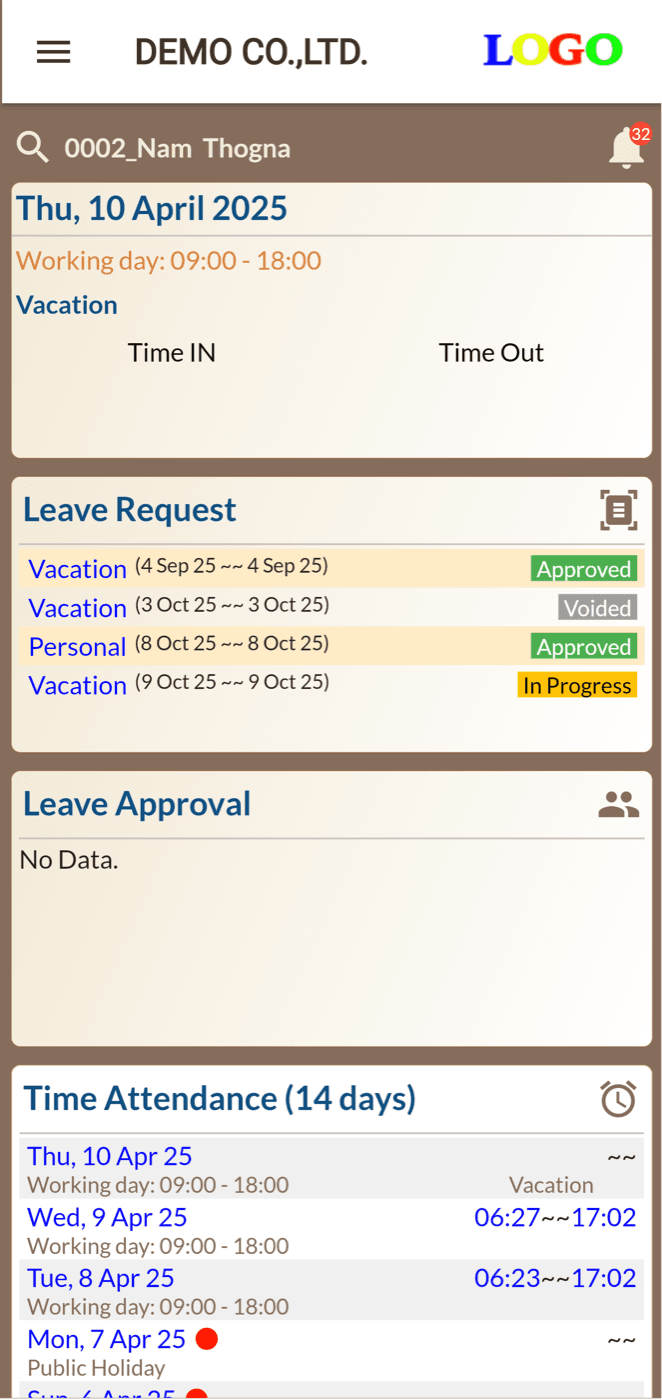
Employees can check their own status and approval results without contacting HR
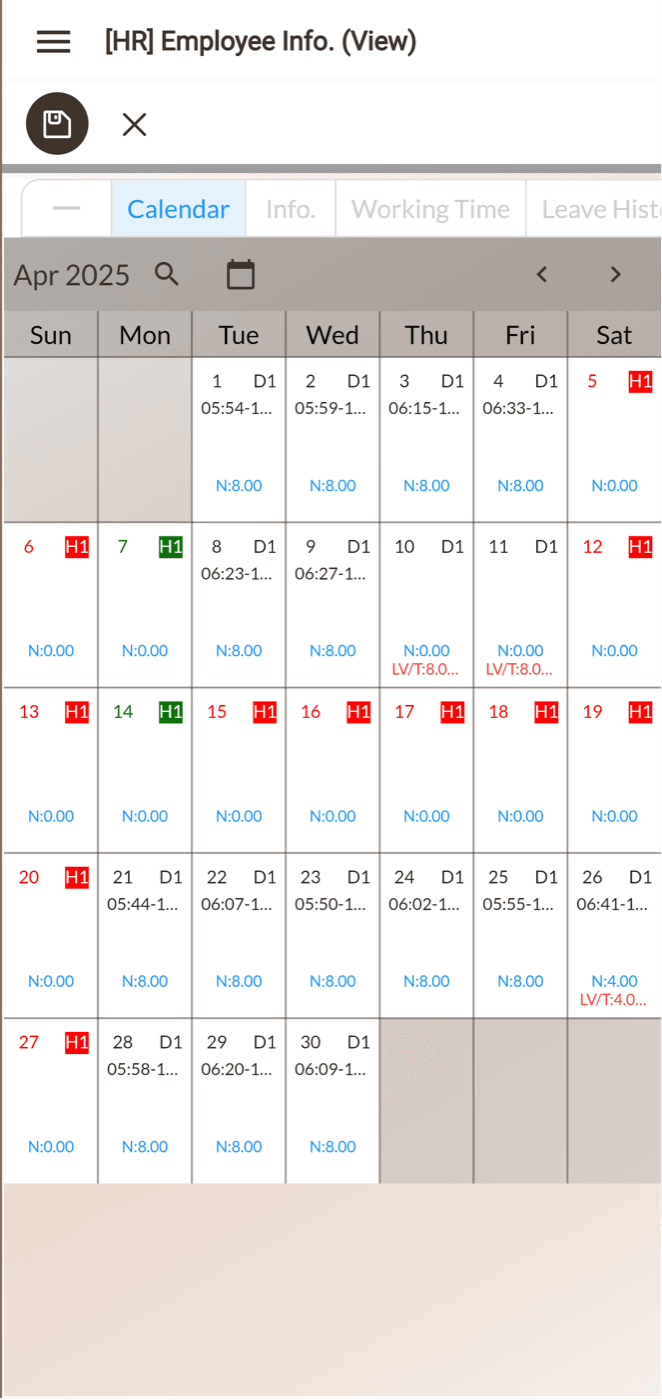
Working days, holidays, and recorded hours in a monthly view
Before the project starts
Supported device models, synchronization intervals, and app scope are confirmed after we review the operating environment and compatible software versions.
Or leave a message and we will contact you.